Hello everyone,
I’m Hassen, lead developer of eScriptorium. I am taking the chance of this new blog to announce the April 2026 release, the first one of the Quarter releases mentioned in our previous blog, and after our mandatory one month of beta-test.
Let me walk you through what’s new!
1. Multi-document model training
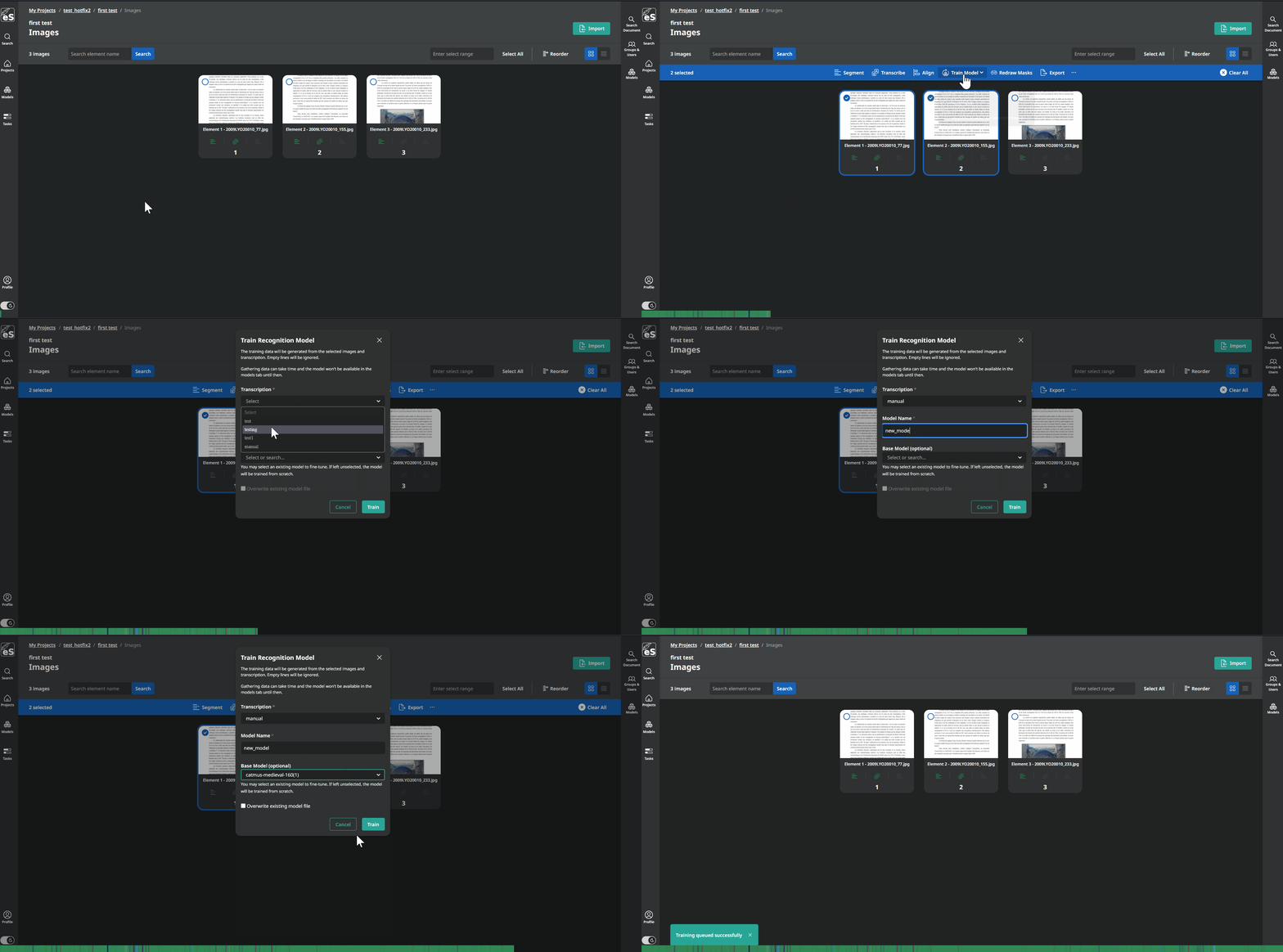
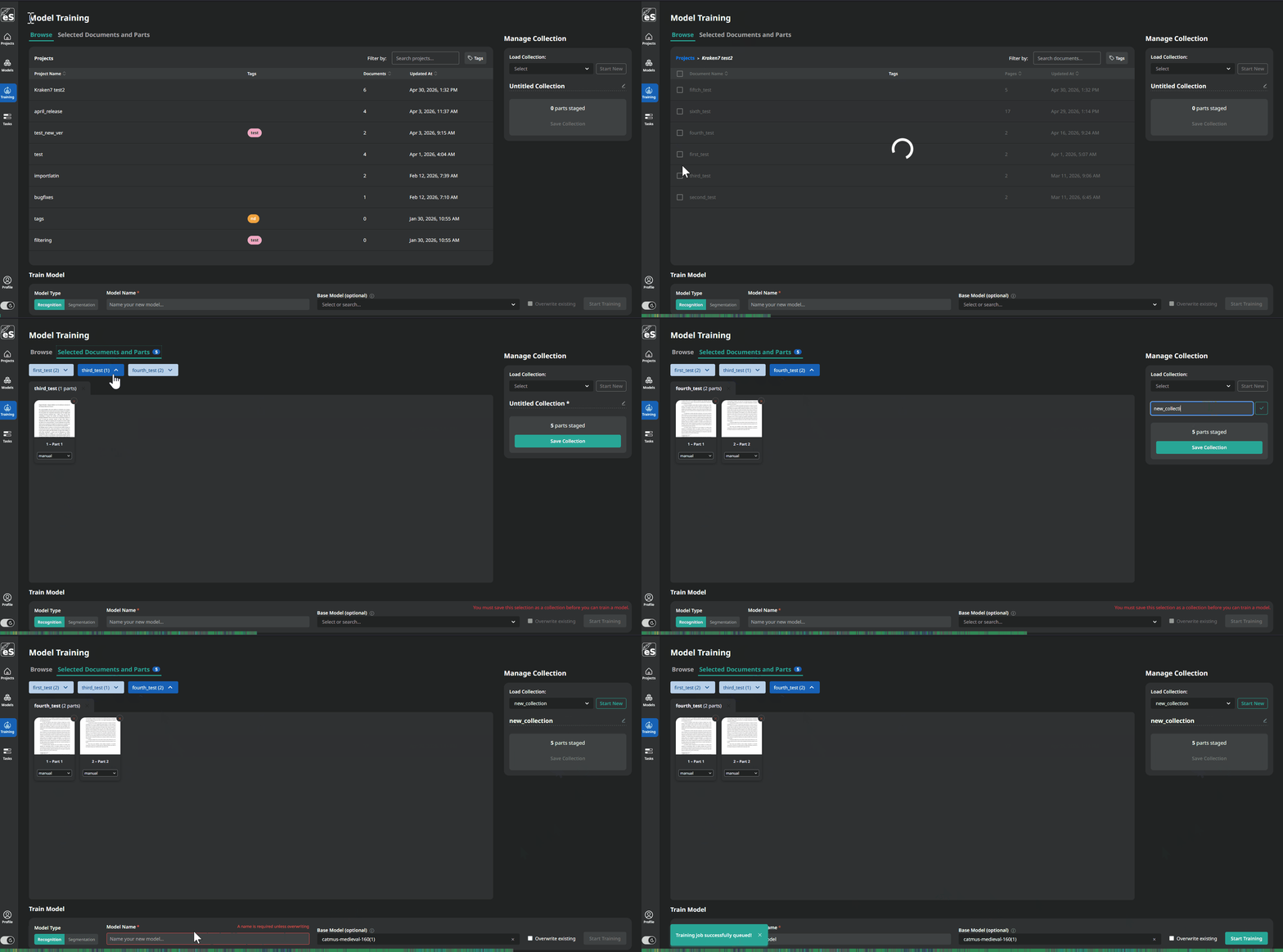
The biggest addition is probably the new training page. For a while now you could train recognition and segmentation models from within a single document, but if your training data was spread across multiple documents you had to jump around and run separate jobs. That is no longer the case. There is now a dedicated /training/ page where you can browse across all your documents, pick the pages you want, save that selection as a named collection so you can reuse it later, and queue recognition or segmentation training directly from there. You can still click on train from within your document, it will simply move you over to this page, transparently.
2. Kraken v7
We also upgraded the OCR engine to Kraken v7. The headline feature here is support for D-FINE segmentation models, which are bounding box based rather than baseline based. This is especially precious for region detection, more so than line, as it will allow to deal with very close elements and avoid merging.
3. Layer picker in the transcription modal
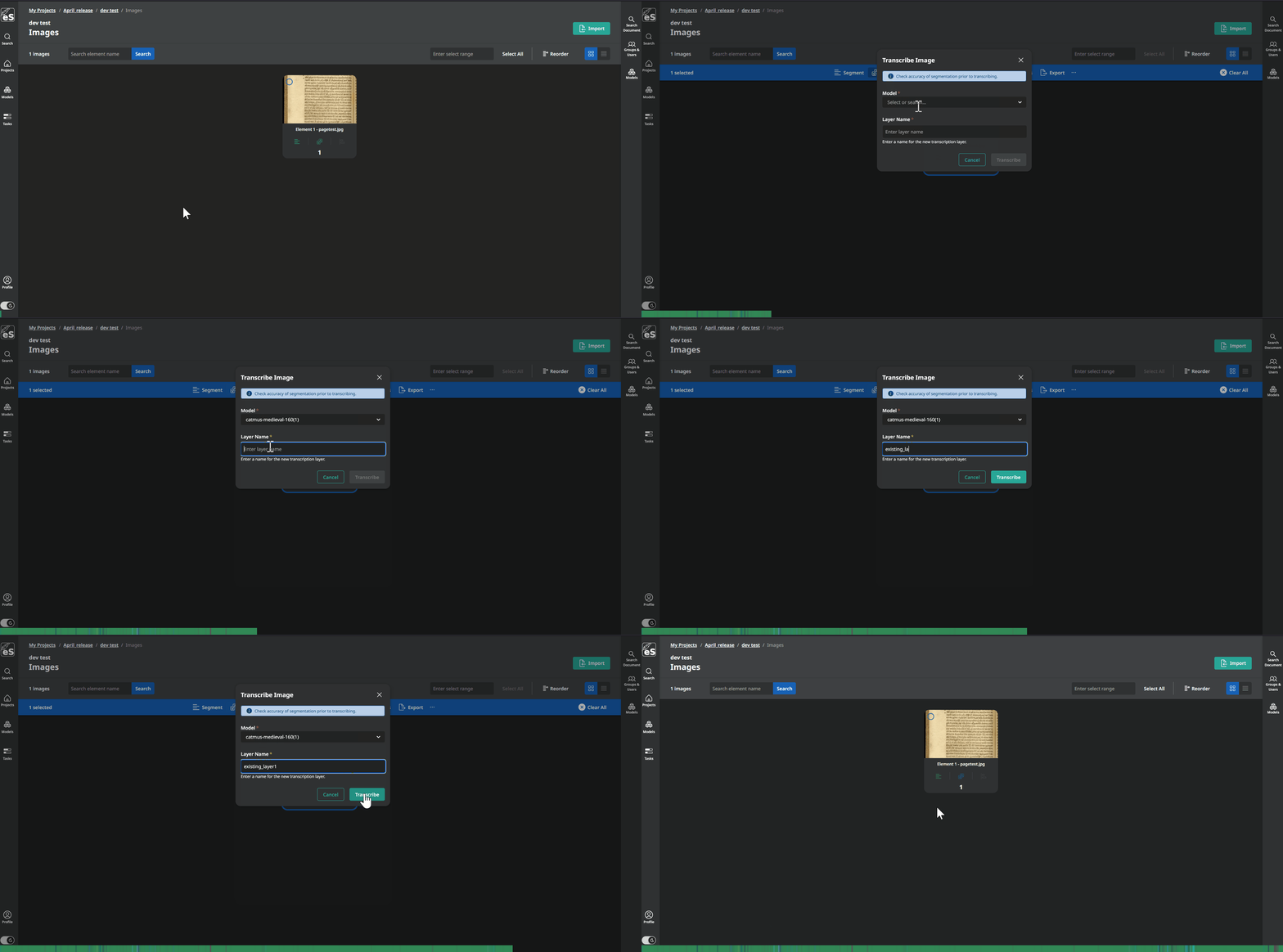
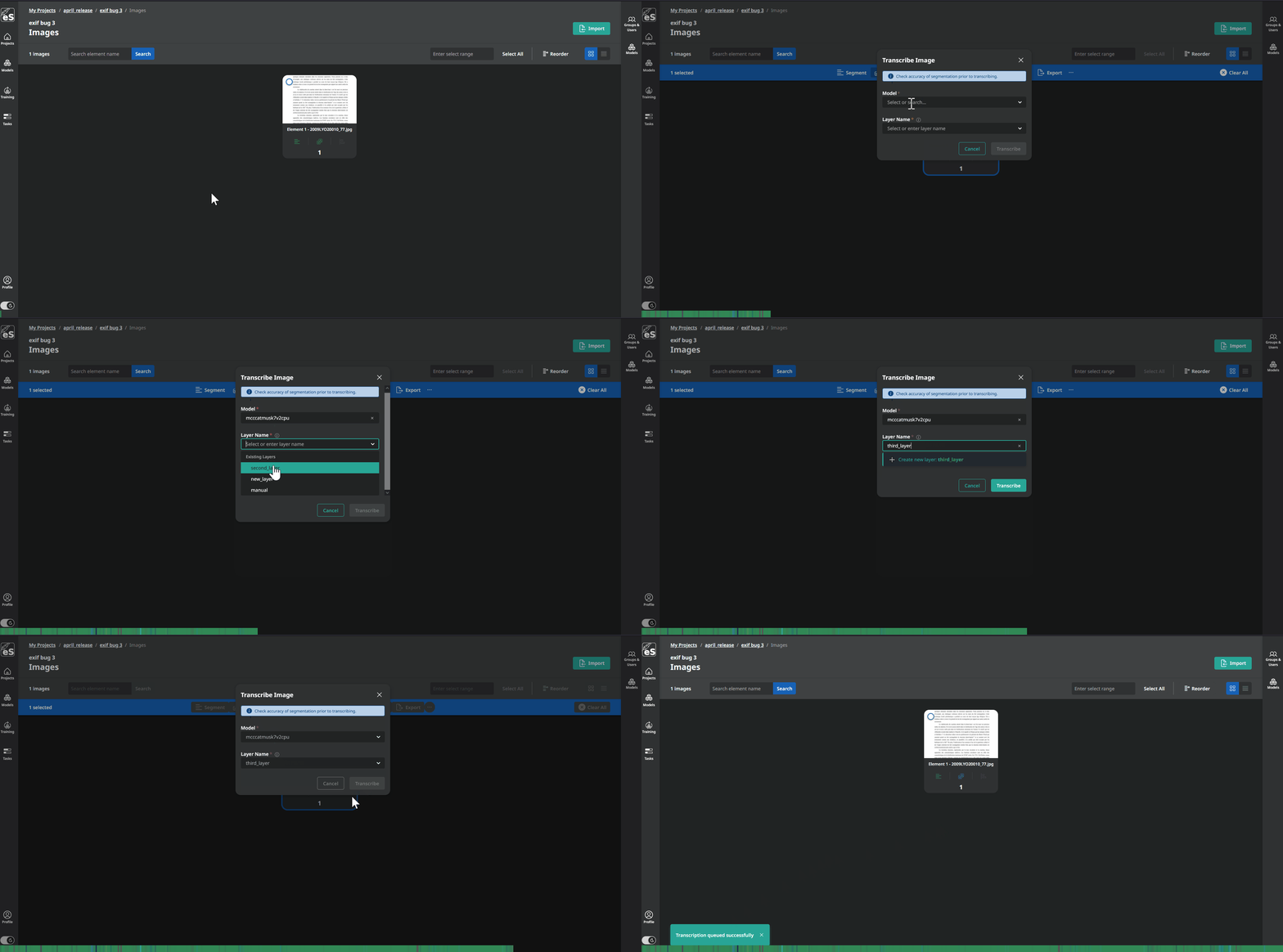
Something people have been asking for since we moved to our new interface: when you open the transcription modal to run recognition, you can now pick or create your transcription layer right there before transcribing, using an autocomplete dropdown. Before this change the layer had to already exist and you had to write the name with no select options.
4. Searchable base model field
We also improved model selection in the training form. The base model field used to be a plain text input, which got messy once you had a lot of models. It is now a searchable autocomplete that filters as you type.
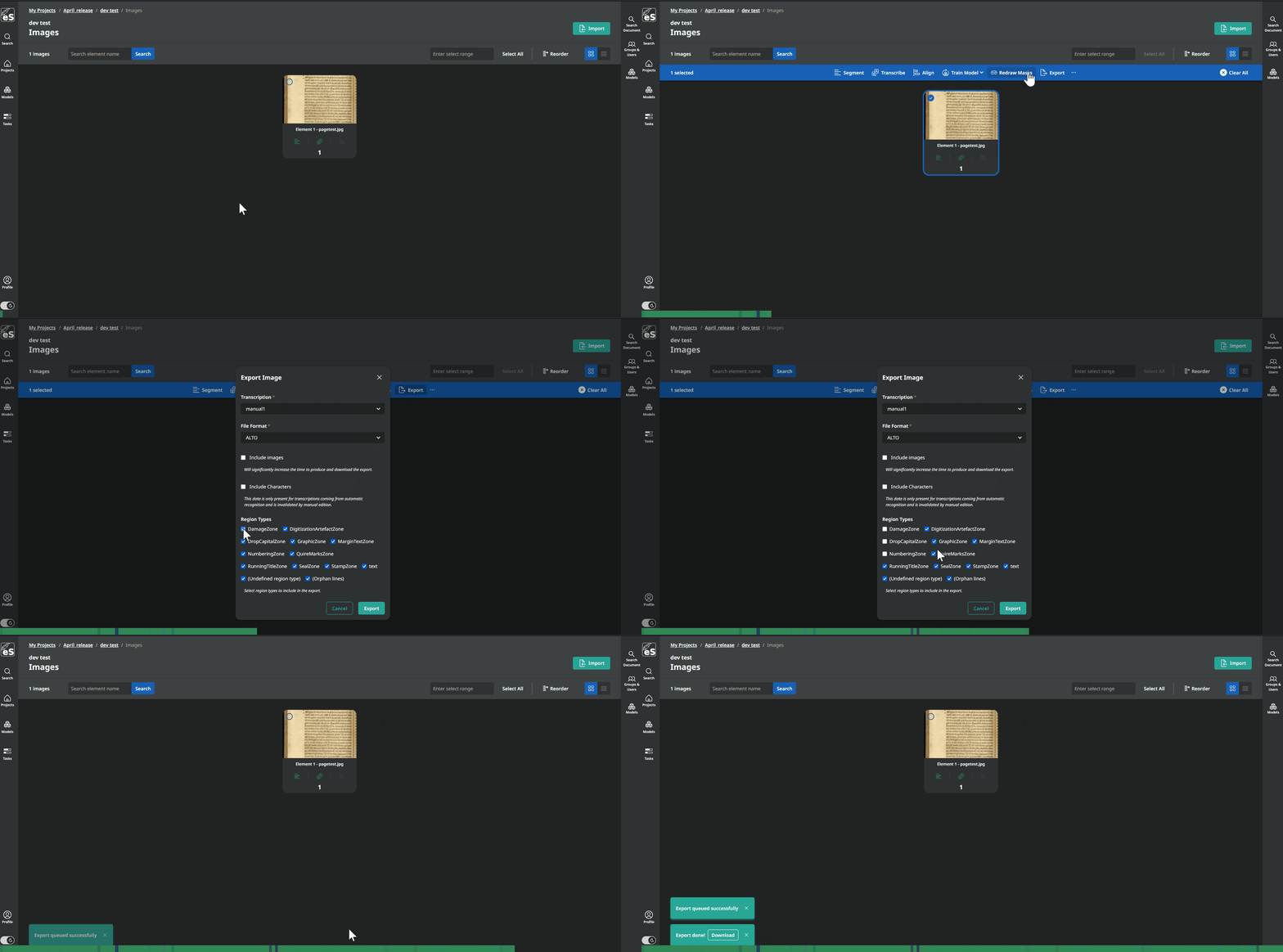
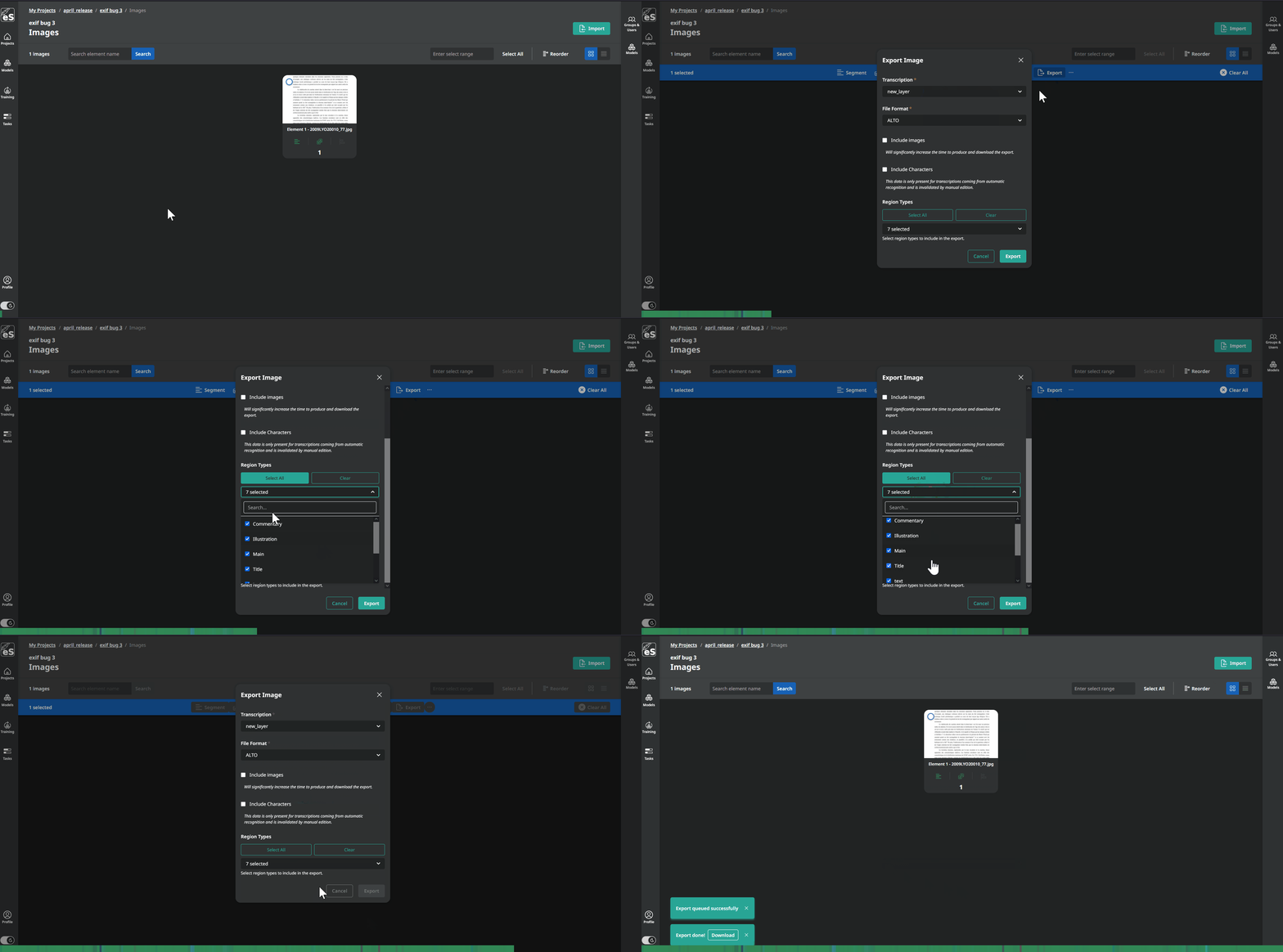
5. Multi-select regions in the export modal
In the export modal, region types can now be multi-selected. If you regularly export large documents with many region types this makes the whole process much smoother.
6. Virtual keyboard update
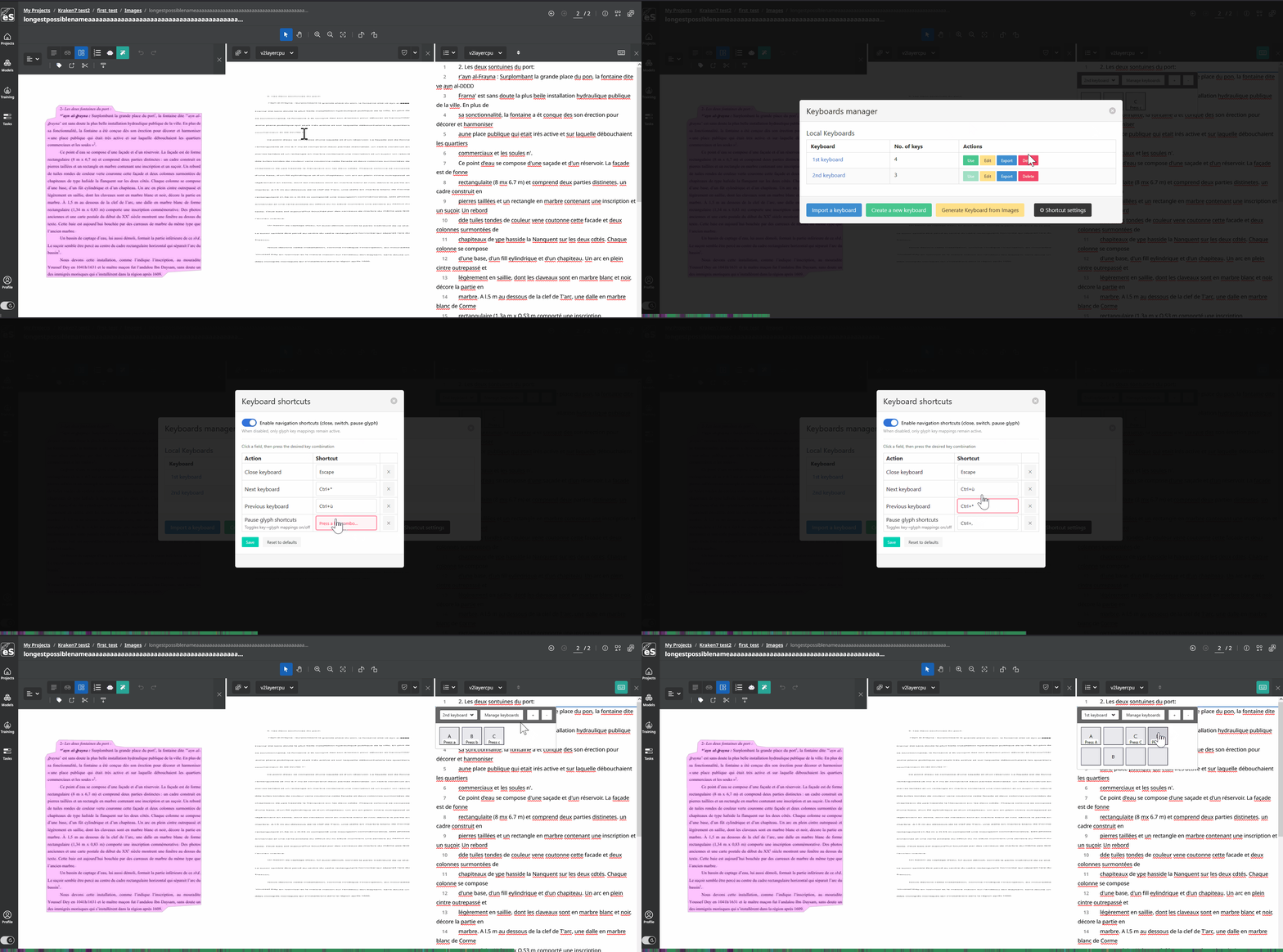
One more thing worth highlighting: the virtual keyboard got a significant update. You can now navigate between keyboard configurations using keyboard shortcuts, and there is a new pause shortcut that lets you temporarily suspend the keyboard without closing it entirely. This way, you can finally leave your mouse untouched as you browse your lines in the transcription panel!
That covers the main new things in this release. You can also find the complete list of resolved issues in the release changelog and hopefully benefit from this list of small yet important bug fixes!