Foreword and the reason behind the small delay
Foreword by Thibault Clérice
As you know, in our previous article about our new release schedule, we announced a new system where every three months we would enter a beta-testing phase and then release the final version one month later. The last version was 26.04 (beta started at the end of March and was released in April), while the new one is indeed 26.07 (beta started in July and was normally due to be released in August). But we missed the window (by 3 days, which you might think is okay though).
Well, you might have heard about it during the summer, but AI is here. And while we received a lot of contributions that were AI-driven, from debugging to new features, this does not change the amount of maintenance work and careful checking required by Hassen, our main developer and the main writer of this blog post. What did happen, though, as with many projects, is that we found security flaws.
If you look at the Linux kernel, the average number of CVEs (Common Vulnerabilities and Exposures, a dictionary/database of identified and publicly recorded security issues) grew from an average of 500 per new release to a whopping 2,000 in the latest kernel release (with the two prior releases having “only” around 1,250 CVEs), a fourfold increase.
It was the first time that any of us had faced this situation. If we had been a closed system, I believe it would have been much less problematic: we would find the errors, patch them, perhaps record them as CVEs, and be done with it. But we are not: it means eScriptorium is installed on many servers, some with thousands of users, and the more users you have, the greater the possibility of bad actors.
So we did what we had to do (and made some mistakes along the way) and ended up following the following “protocol”:
- Pushing AI Agent to find all the errors connected to the first ones;
- Recording the issues and pre-registering the CVEs;
- Reaching out to partners who have large instances and are known to us, and providing them with tailored patches when we knew their teams were too small to handle it themselves;
- Publicly releasing the patches and warning all other, smaller instance owners.
We are the “proud owners” of five CVEs. What this means is that, from now on, if you are deploying eScriptorium, we strongly recommend keeping an eye on feeds such as OpenCVE, where CVEs are collected. These feeds will tell you which version you need to update to. And you might want to subscribe to our instance owner mailing list. Just in case.
It might have been one of the rare occurrences (the first time, even?) of a digital humanities tool having to register CVEs.
Is it bad to have CVEs? Well, yes, but it’s better than not having them: everybody has security issues lying around. What CVEs are about is transparency, and we hope you’ll appreciate this approach and our transparency.
What is new in 26.07
Hello everyone,
Hassen here again, lead developer of eScriptorium. After Thibault’s foreword, let me walk you through the 26.07 release, the second of our quarterly releases.
Here is what is new.
1. Document-scoped ontology
Region, line and part types used to be shared across the whole instance.
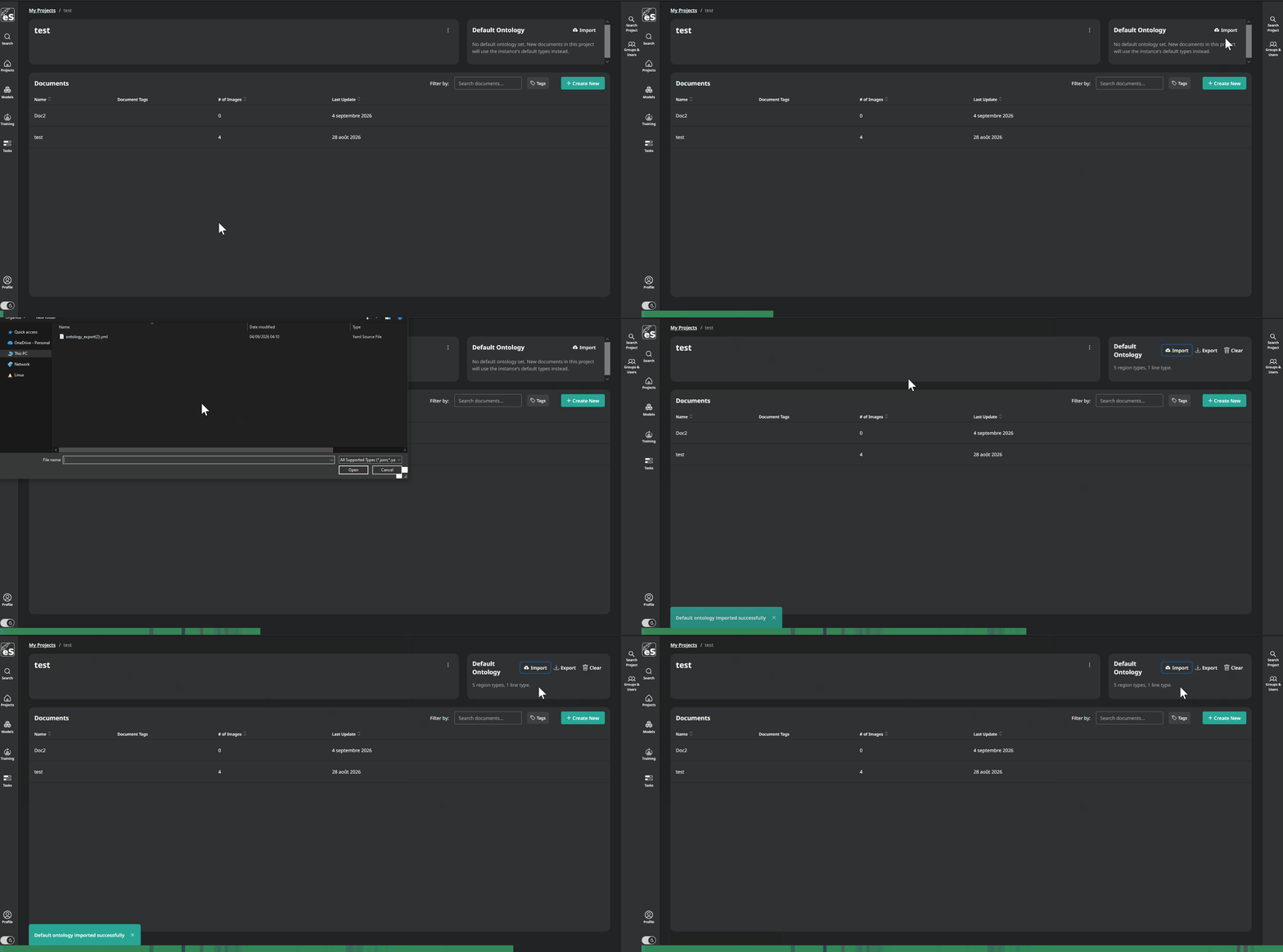
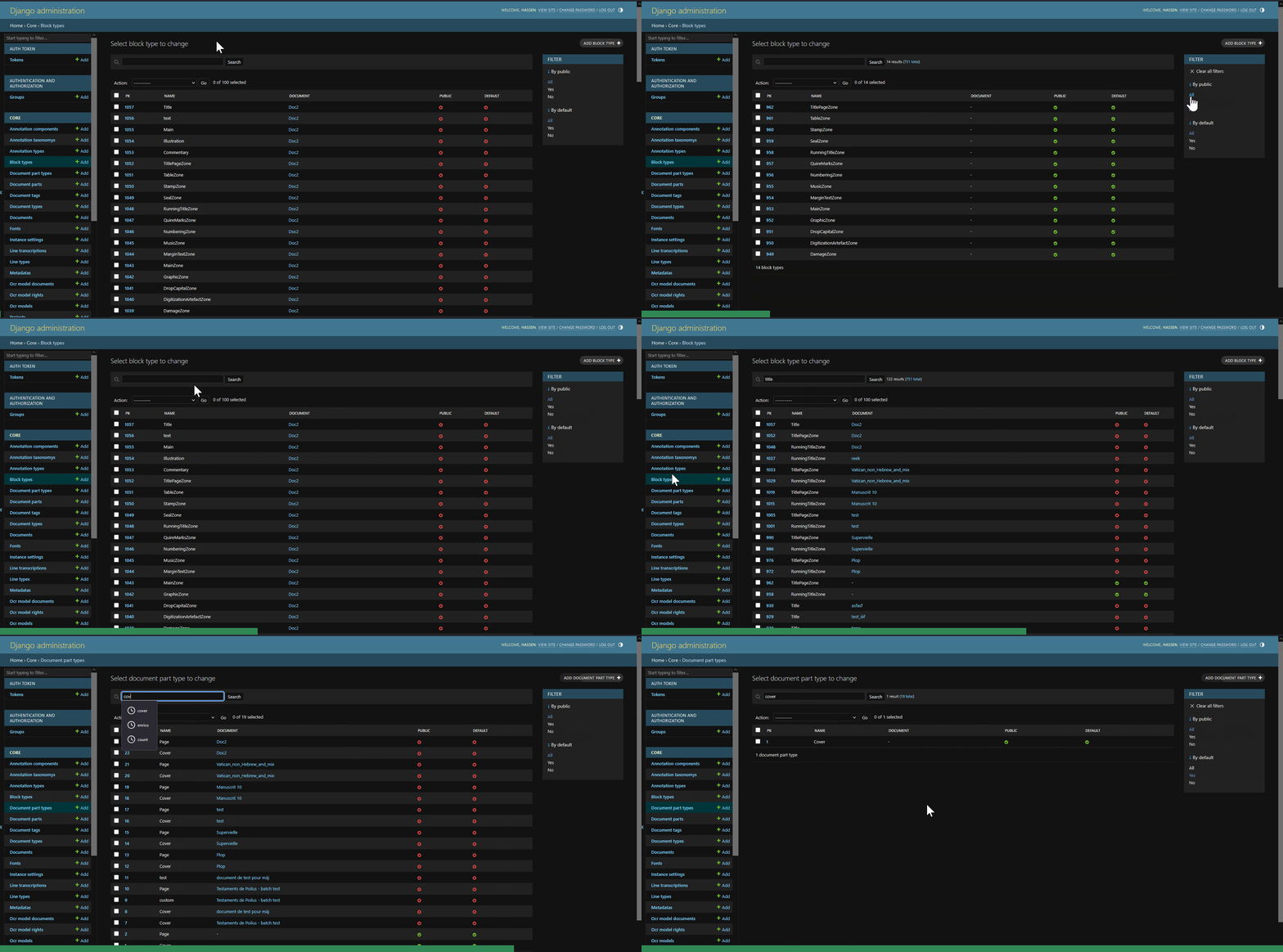
Types now belong to the document. Imports and segmentation no longer create duplicates, and a type keeps its color across browsers and users. On top of that, a project can hold a default ontology that is applied to the documents created in it, and an ontology can be exported and imported as YAML, so you can reuse the one you worked hard on. In the Django admin, block, line and part type lists now show which document they belong to, with a search box and public/default filters.
2. Overview panel for regions and lines
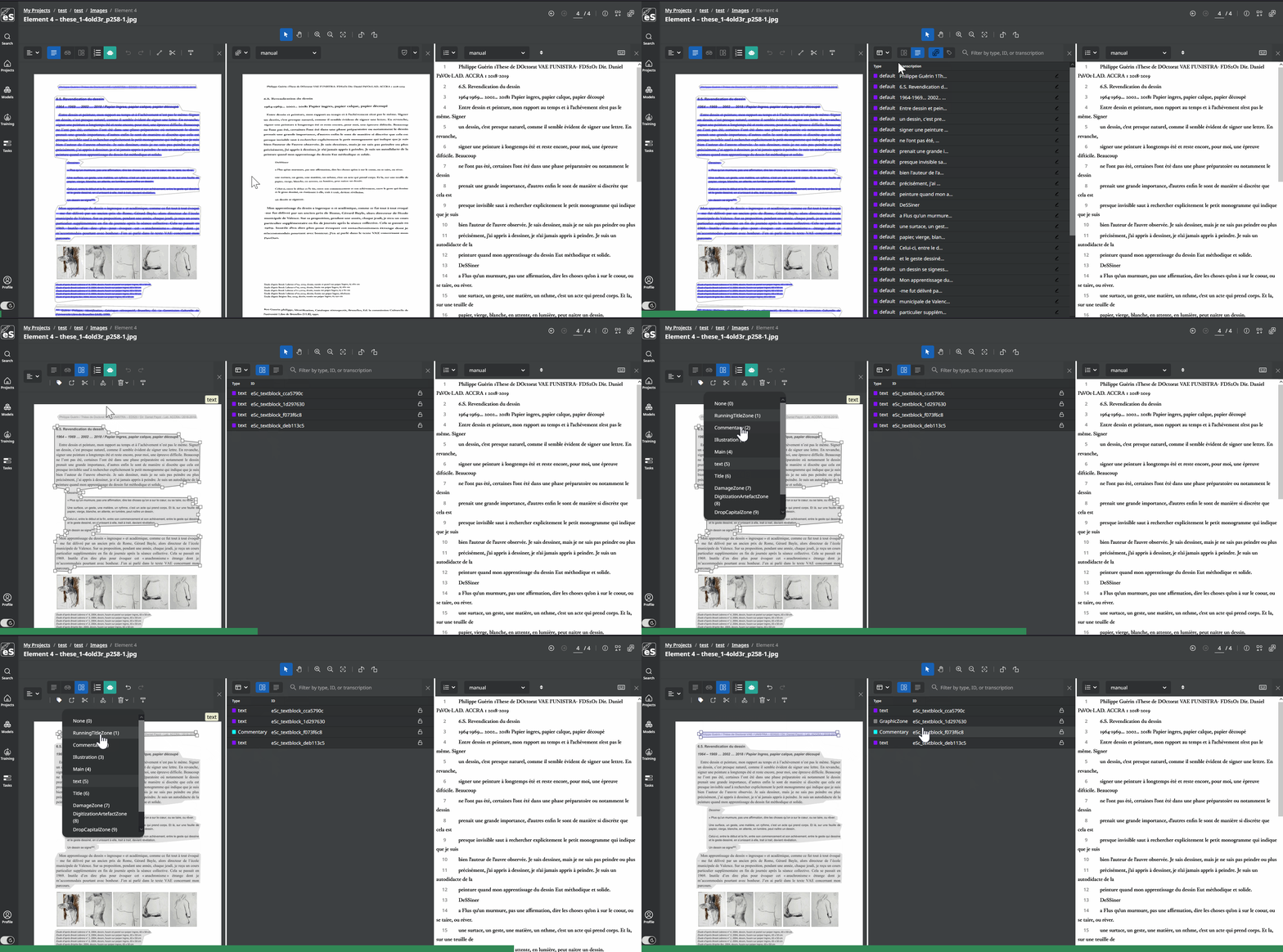
The editor has a new panel that lists the regions and lines of the current page. You can filter them, switch between showing IDs or the transcription content, and each row has an edit button that opens the transcription modal directly. The Regions/Lines tab follows the focus of the segmentation panel, so the list stays in sync with what you are working on.
3. Region locking
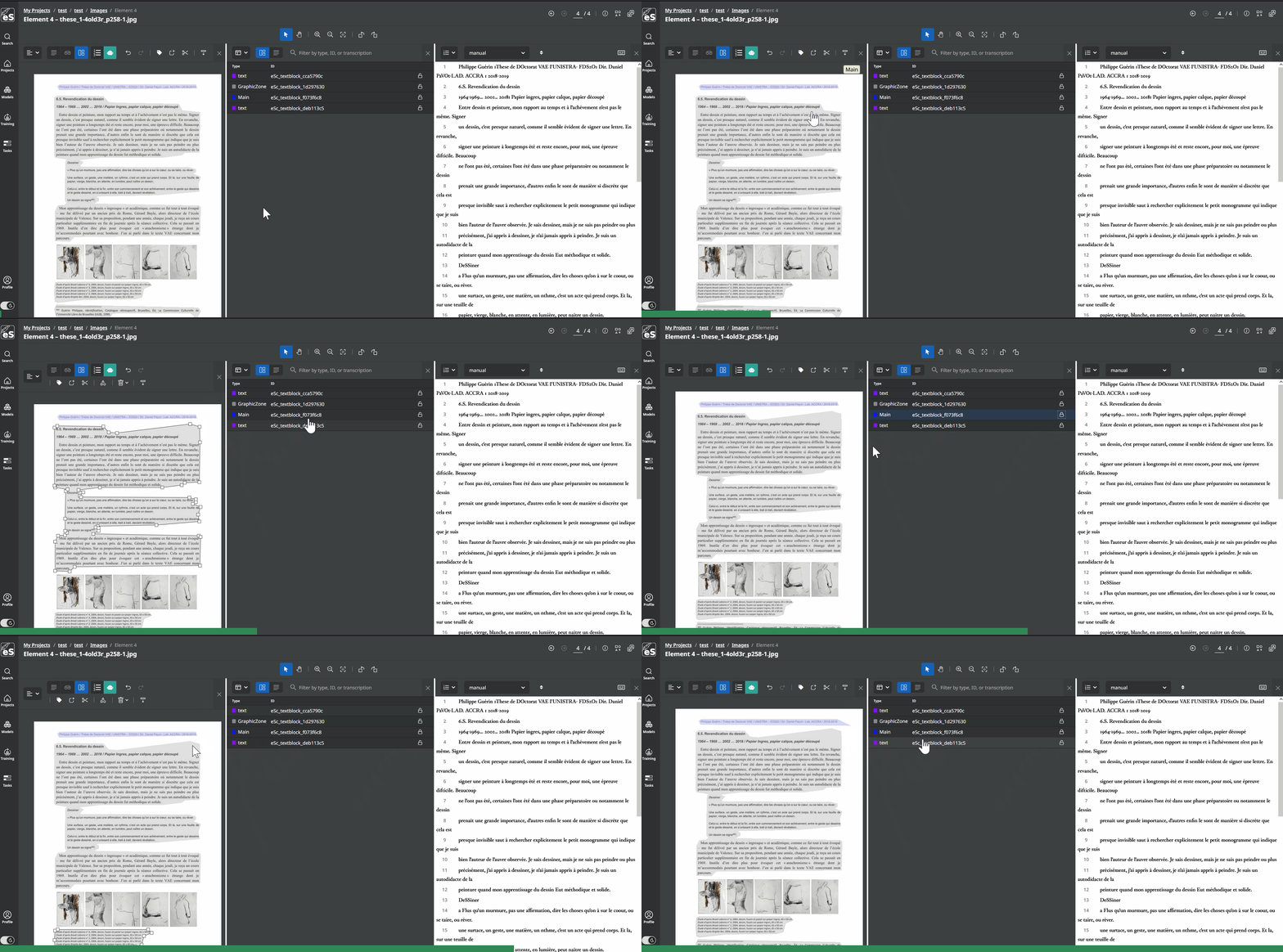
Still from the Overview panel, a region can now be locked. A locked region is left alone by the cut tool and stops catching clicks, so you can draw lines, or superimpose regions, and work on top of it without moving it or reshaping it by accident. Anyone who has ever dragged a full page region by mistake while trying to fix a baseline will know why this exists.
4. Ontology Overview page
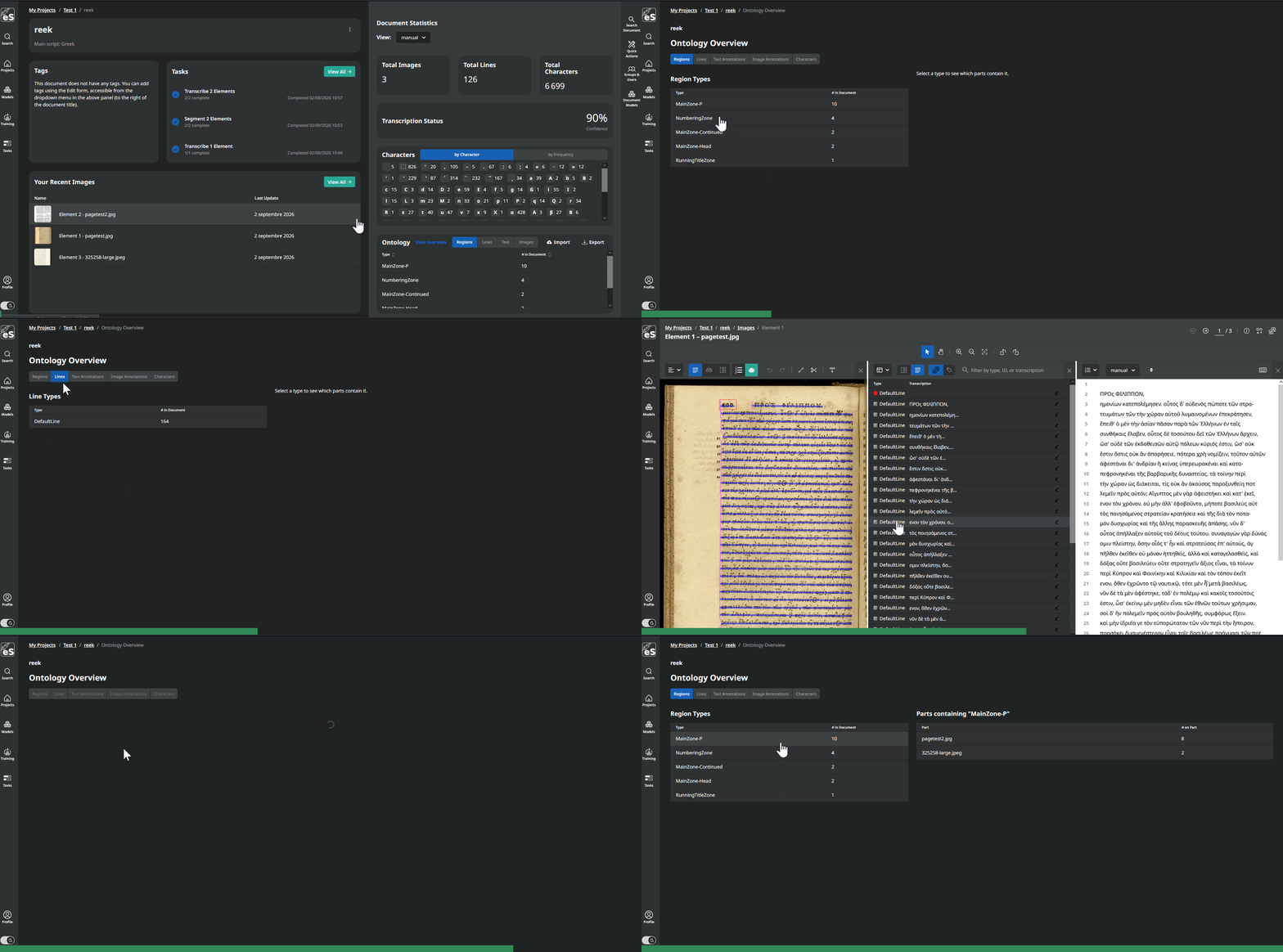
This is a new quality control tool for a whole document. Instead of opening pages one by one, you get a page where you can browse where region types, line types and annotations are used across all the parts of the document, and where a given single character is found.
It is very useful right after an import or a bulk segmentation, when you want to check that a type was applied where you think it was, or to track down the three pages where a stray character slipped into your transcription.
5. Custom transcription fonts
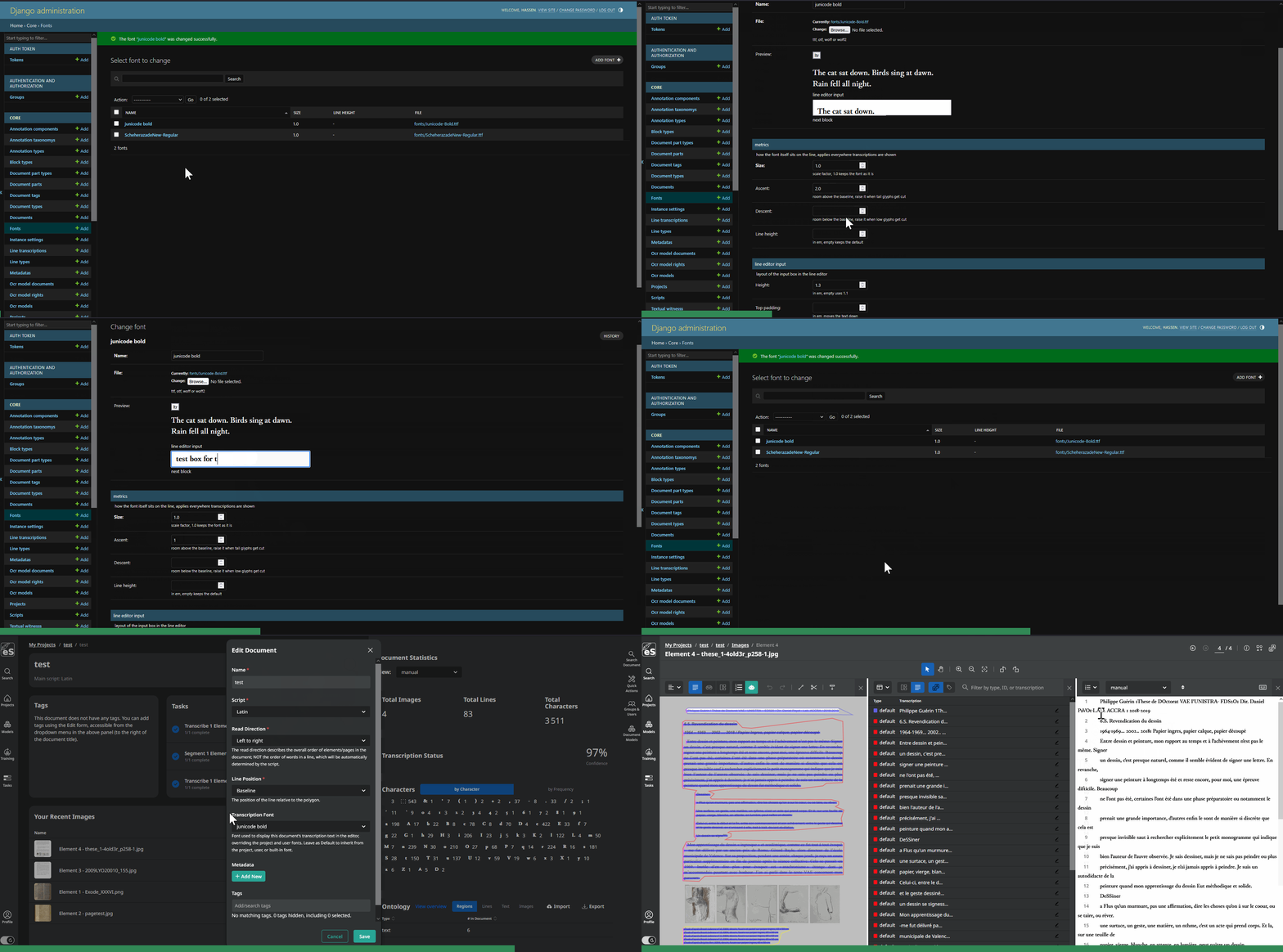
Admins can now upload fonts through the Django admin, and users can assign them at user, project or document level. The chosen font is used everywhere transcription content is shown, in the editor and in the document dashboard. This matters a lot for scripts where the default browser font is simply not good enough to read what you typed.
Each font also carries optional layout parameters (height, top and bottom padding, top and bottom margin, vertical alignment), because a font that renders correctly is not always a font that sits correctly on the line. The admin form has a preview that renders the sample text with the current values before you save.
6. Download Archive and the Downloads page
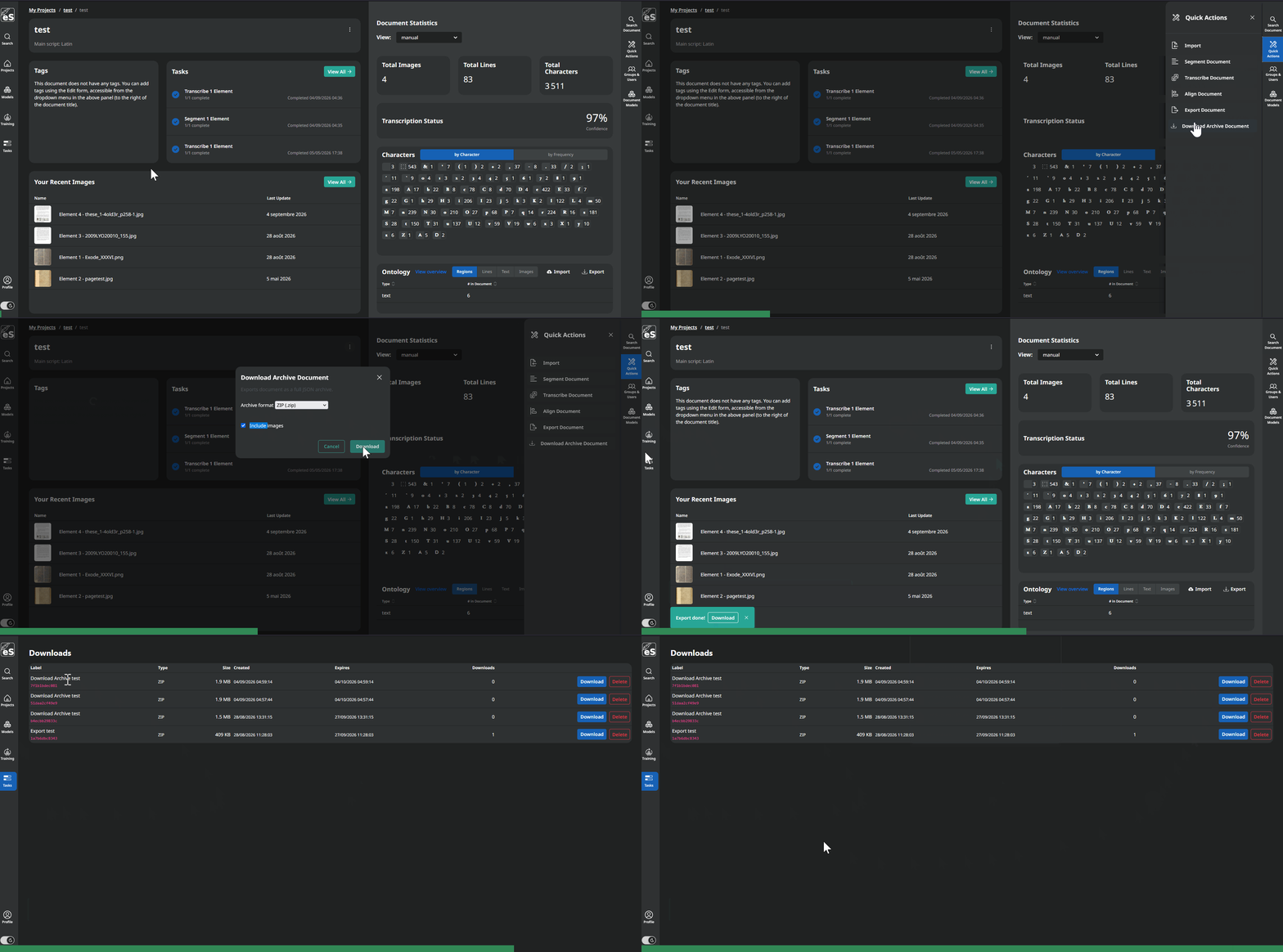
There is a new quick action to download a full archive of a document, available from the document quick actions and from the overflow menu of the Images page. It exports everything: all transcriptions, annotations, metadata and character boxes, with user identifiers anonymized. The archive contains document.json, export-config.json, parts.jsonl and annotations.jsonl, with one record per line in the two .jsonl files, written to disk in batches so that a large document does not eat all the memory.
Exports and archives also stopped being one shot links buried in a notification. They now land on a per user /downloads/ page, where each row shows the label, the size and the expiry date, and can be downloaded again or deleted.
7. PP-OCRv6 models and Kraken 7.1
Kraken is bumped to 7.1, which brings support for PP-OCRv6 recognition models. You can use them for transcription and fine tune them like any other recognition model.
8. Find and publish models
The models page now links to the htrmopo catalog, both to find models and to publish yours.
9. Auto-hyphenation in Passim alignment
The alignment form has a new option. When it is enabled, a - is added at the end of lines where a single word of the witness text is split across two lines in the aligned output. Small option, much cleaner alignments on printed material.
10. A dedicated queue for GPU-preferring models
On the infrastructure side, there is a new intensive-inference Celery queue and worker for models that would rather run on a GPU, currently D-FINE. Segmentation and transcription tasks are routed there automatically based on the model architecture, through the INTENSIVE_INFERENCE_MODEL_ARCHITECTURES environment variable, and everything else keeps using the default queue. The inference device is now configurable too, with KRAKEN_INFERENCE_DEVICE.
If you run an instance with a GPU, this is the setting you were missing.
11. API documentation
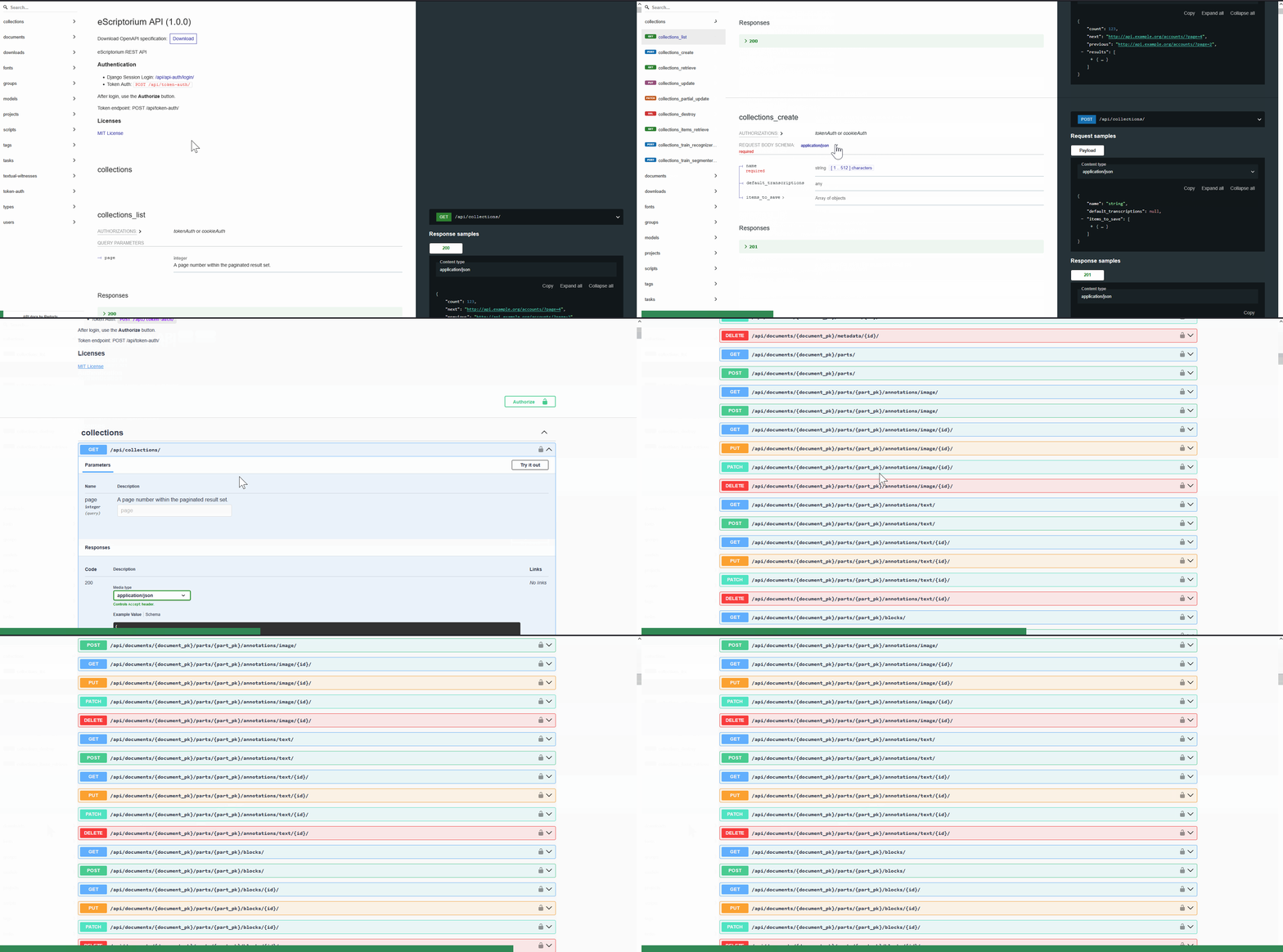
The API schema is now generated with drf-spectacular. Swagger UI is available at /api/swagger/, ReDoc at /api/redoc/, and the raw schema at /api/schema/. If you are building something on top of eScriptorium, you no longer have to read our viewsets to guess what a payload looks like.
Under the hood
A few things you will not see in the interface but that whoever runs your instance will appreciate:
- We added a new way to check on the health of the application, and restart it automatically in case of a stale state. This should help with rare hang-ups.
- Frontend bundles now get content-hashed filenames and are cached as immutable, so a deploy no longer leaves people with stale JS and CSS.
- Database indexes were added on task reports, which are queried on every task start, end and cancel check.
- Compiled
.motranslation files left the repository and are now built during the Docker build. Runpython manage.py compilemessageslocally. - pyspark is pinned to 4.1.1, since 4.2.x breaks passim’s seriatim at startup.
- The example contact block moved from
app/contributors_example/toapp/homepage_example/. If you override that file, move your copy. - German translations were updated.
Funding
- This release was supported by multiple European projects (Views and opinions expressed are however those of the author(s) only and do not necessarily reflect those of the European Union. Neither the European Union nor the granting authority can be held responsible for them.):
- The ERC MiDRASH. Project No. 101071829.
- ATRIUM under Grant Agreement n. 101132163.
- This release was supported by multiple ANR projects:
- The project « Corpus Liberatum Linguae Graecae » (CLLG) was supported by the French National Research Agency (ANR) under the France 2030 grant reference number ANR-24-RRII-0002, operated by the Inria Quadrant Program (PIQ).
- Biblissima receives state funding managed by the ANR under the Investments for the Future Programme (PIA) integrated into France 2030, under reference ANR-21-ESRE-0005.