Hello everyone,
Hassen here again, lead developer of eScriptorium. 26.10 is the third of our quarterly releases, and as always it came out after its month of beta testing.
Let me walk you through what is new.
What is new in 26.10
1. D-FINE and combined model training
Since 26.04 and Kraken 7, you can segment with D-FINE models, but you could not train them. Starting a segmentation training from a D-FINE model stopped right away with a “not supported” warning. That is now fixed: a D-FINE model can be used as the base model of a segmentation training, like any other.
It also works with combined models. A combined model is one model file that holds two models: BLLA for the lines and D-FINE for the regions. eScriptorium trains each part on what it already does (lines for BLLA, regions for D-FINE) and saves them back together in one file, so you keep using a single model for both.
2. Copy a transcription layer
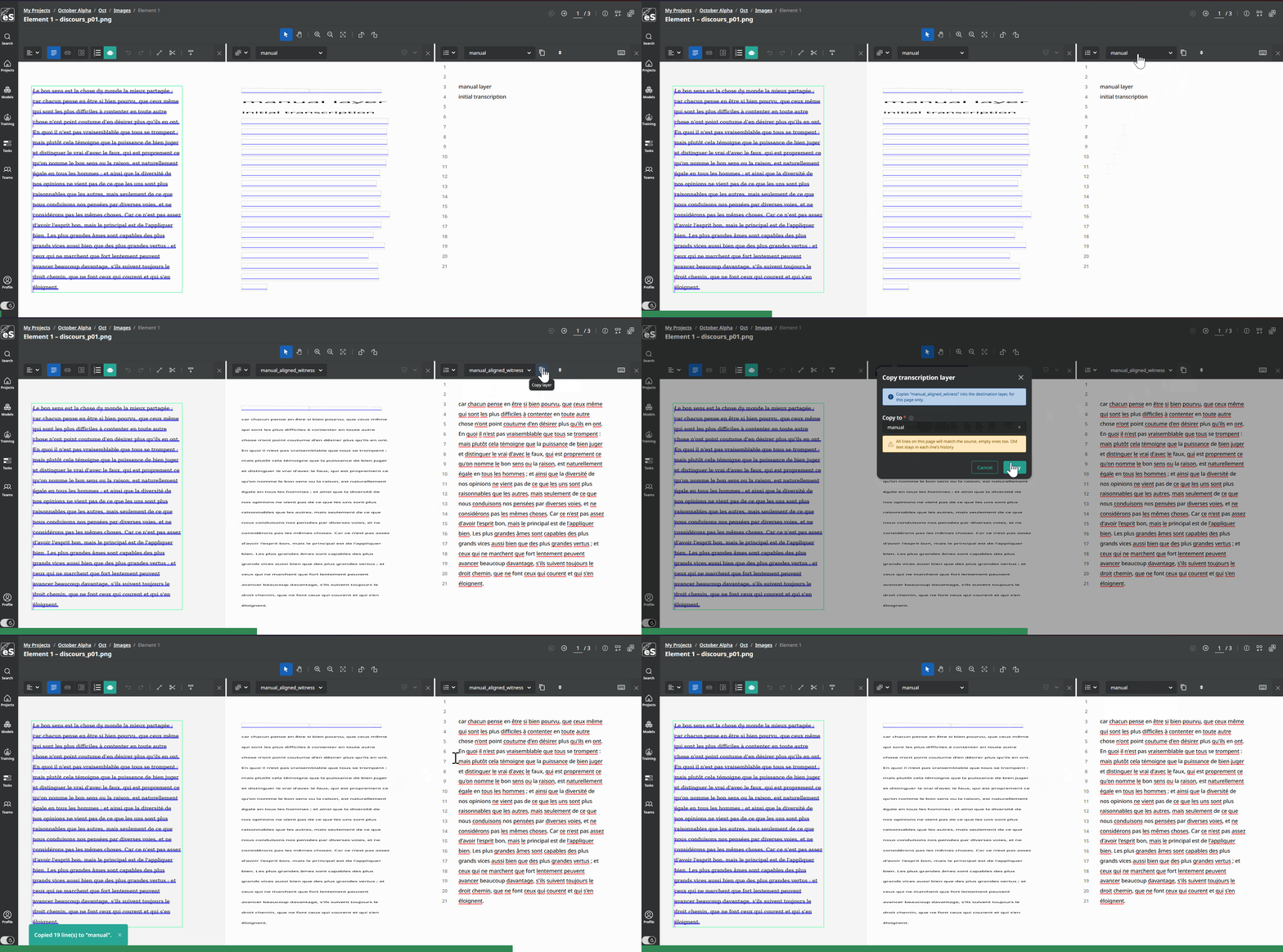
There is a new copy button in the text panel, next to the layer dropdown. It copies the layer you are looking at into another layer, for the current page.
The destination can be an existing layer or a new one. After the copy, it matches the source on that page, empty lines included. Nothing is lost: text that gets overwritten stays in each line’s history, so you can revert it. If you had unsaved edits, they are saved first, so they get copied too.
3. A bigger transcription modal, with zoom
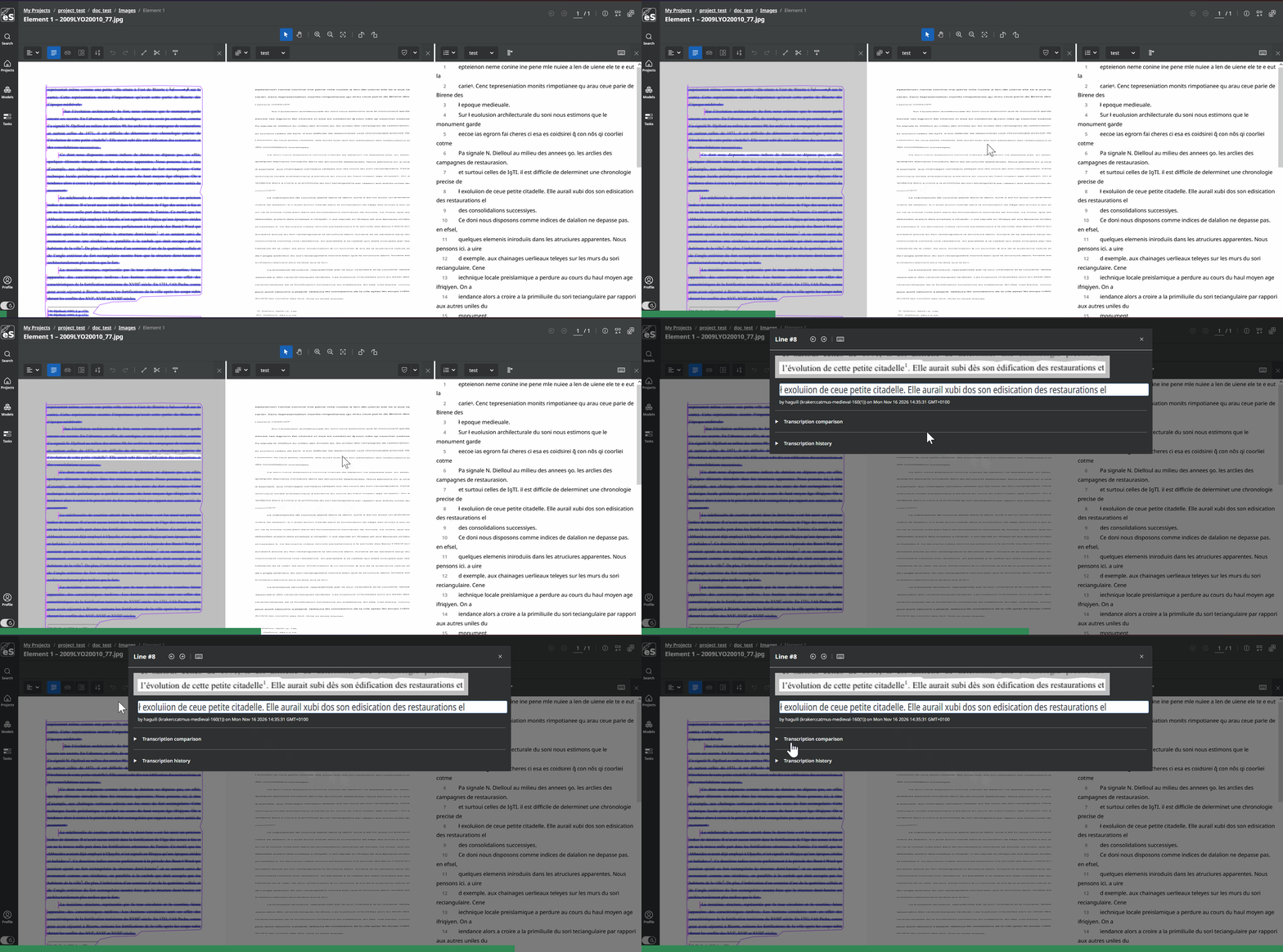
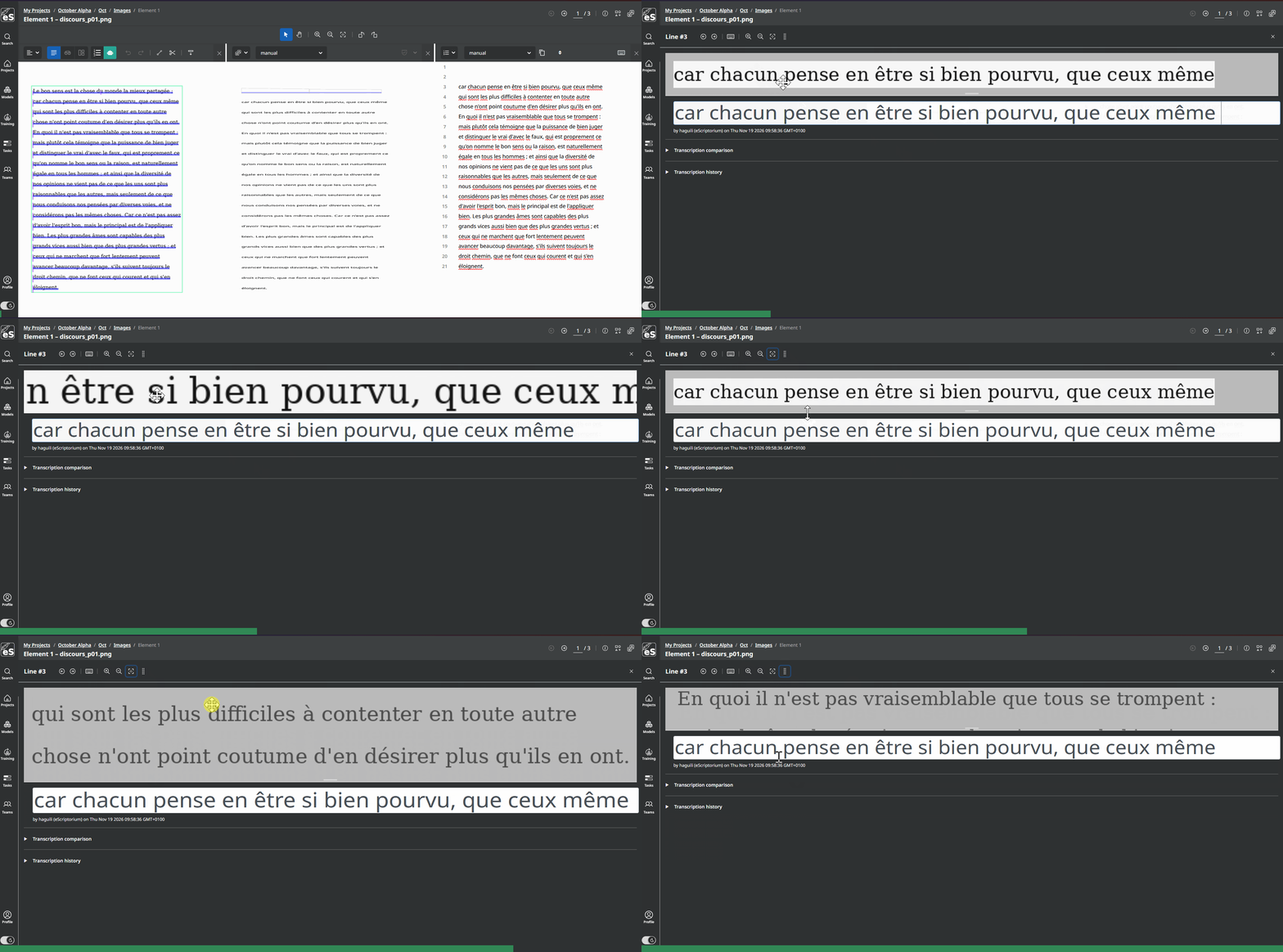
The line transcription modal now fills the whole work area, between the navigation bar and the top bar, instead of sitting in a small box in the middle of the screen.
You can zoom on the line image with the mouse wheel or the new zoom buttons, and drag the image to move around. Double-click, or click the reset button, to go back. A resize handle lets you make the image box taller or shorter, for example to see the lines above and below the one you are working on. That height is remembered for each document.
This helps a lot with small handwriting, abbreviations and damaged pages, when you need a closer look at a single letter.
4. User suggestions when sharing and inviting
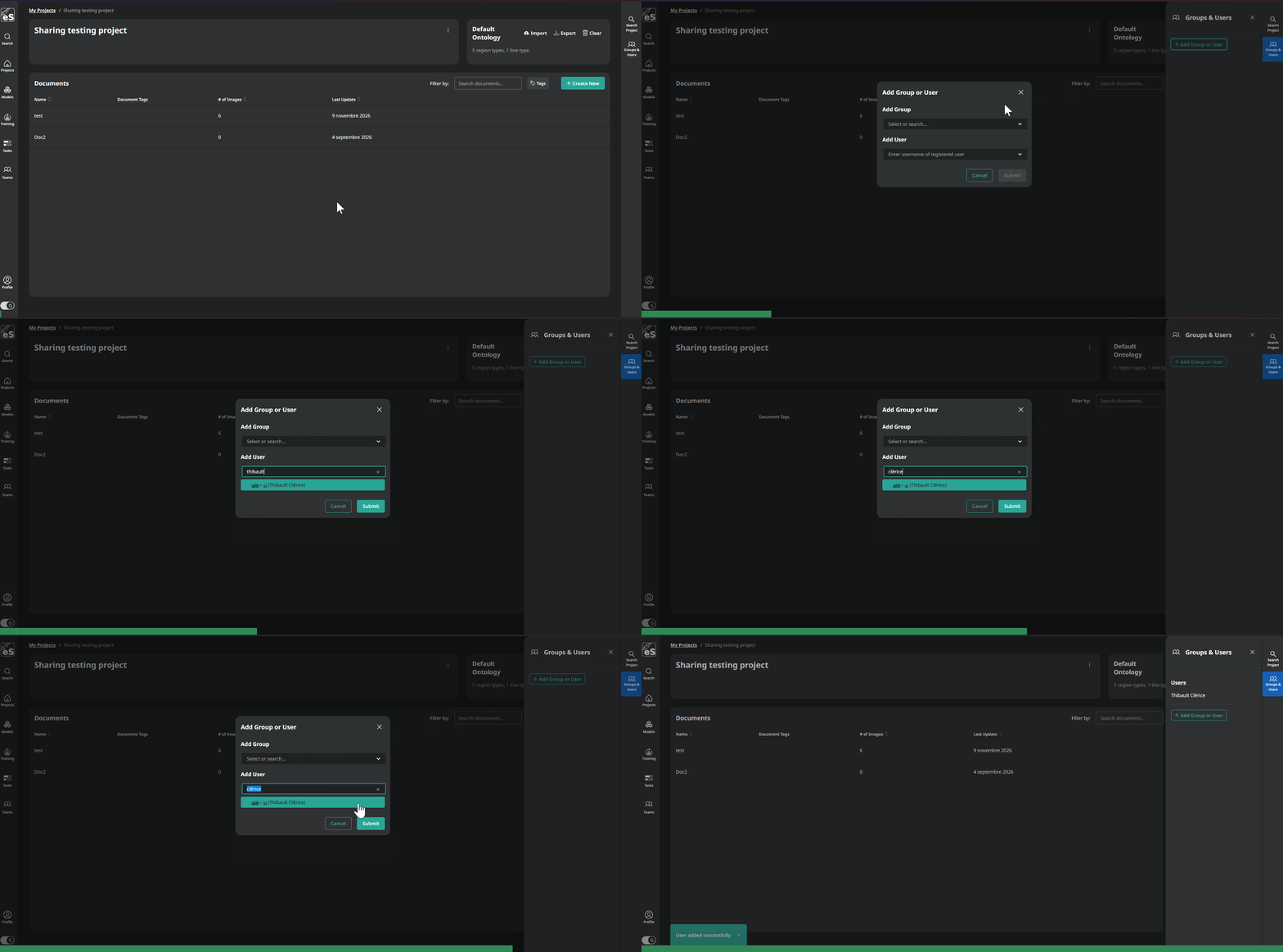
When you share a project or a document, the add user field now suggests people you already work with, meaning people you share a project, a document or a team with. You can search by username, first name or last name, and people who already have access are not suggested. The team field can be searched too.
Team invites and model sharing use the same suggestions. Models can also be shared with any user by typing their username, not only with users from your teams.
5. Navigation bar changes
Teams now has its own entry in the navigation bar. It used to be a tab in the profile settings.
In the Tasks menu, “Task Usage” is now My Tasks and “Downloads” (the page added in 26.07) is now My Exports.
6. Default permissions for new accounts
Admins can now choose permissions that every new account gets automatically, for example Can train models or Can invite users. The new Default user permissions field is in Instance settings in the Django admin. A button below it, “Save and apply default permissions to all existing users”, gives them to all existing active users at once.
A few fixes worth knowing about
This release also has a good list of bug fixes. Here are the ones you are most likely to have run into:
- In the editor, lines or regions saved right before moving to another page no longer show up on the new page, and cutting lines after changing page works again.
- Training:
KRAKEN_TRAINING_BATCH_SIZEandKRAKEN_TRAINING_PRECISIONinvariables.envwere never read. They are now applied. Fine-tuning an old.mlmodelmodel now gives a model with the right extension, since Kraken 7 always saves safetensors. - A model stuck in training can now always be cleared with the Cancel button.
- In Safari, list rows (images, projects, documents, pages, ontology parts) open from anywhere on the row, not only from the first column.
- The virtual keyboard now uses the custom transcription font of your document, project or account, the one from 26.07.
- Sharing a project or a document no longer crashes when two accounts have the same username with different case, like
annaandAnna. - Modals no longer grow past the bottom of short screens. They stay on screen and scroll.
You can find the complete list in the release changelog.
Under the hood
For whoever runs your instance:
dfine-krakenis bumped to 0.4.4, which D-FINE training needs.- There are new training batch size settings per model type:
KRAKEN_TRAINING_BATCH_SIZE_VGSL,KRAKEN_TRAINING_BATCH_SIZE_PPOCRandKRAKEN_TRAINING_BATCH_SIZE_DFINE. Each one falls back toKRAKEN_TRAINING_BATCH_SIZE, then to Kraken’s own default (1 for VGSL, 64 for PP-OCR, 16 for D-FINE). Seevariables.env_example.
Funding
- This release was supported by multiple European projects (Views and opinions expressed are however those of the author(s) only and do not necessarily reflect those of the European Union. Neither the European Union nor the granting authority can be held responsible for them.):
- ATRIUM under Grant Agreement n. 101132163.
- This release was supported by multiple ANR projects:
- The project « Corpus Liberatum Linguae Graecae » (CLLG) was supported by the French National Research Agency (ANR) under the France 2030 grant reference number ANR-24-RRII-0002, operated by the Inria Quadrant Program (PIQ).
- Biblissima receives state funding managed by the ANR under the Investments for the Future Programme (PIA) integrated into France 2030, under reference ANR-21-ESRE-0005.